# Vue: state and composables
Use uncontrolled defaults when the diagram owns its data. Use `v-model` when your application also edits the specs. In both cases, sibling toolbars and inspectors subscribe to the same live instance; save that instance's document rather than its reactive spec projection.
These examples run in a Vue 3.4+ browser application. Install the binding and its peers:
```bash
npm install @grafloria/vue @grafloria/engine @grafloria/renderer vue @grafloria/element
```
## 1. Choose the state owner
[`GrafloriaFlow`](https://bench-grafloria-61d.atloria.app/p/bench-grafloria-61d-mQCmWpDrxv/developer/grafloria-vue#grafloriaflow) reads `default-nodes` and `default-edges` at mount. Later changes to those defaults do not reconcile into the diagram. This form gives you two connected boxes that you can drag without maintaining application refs:
```vue title="DefaultFlow.vue"
```
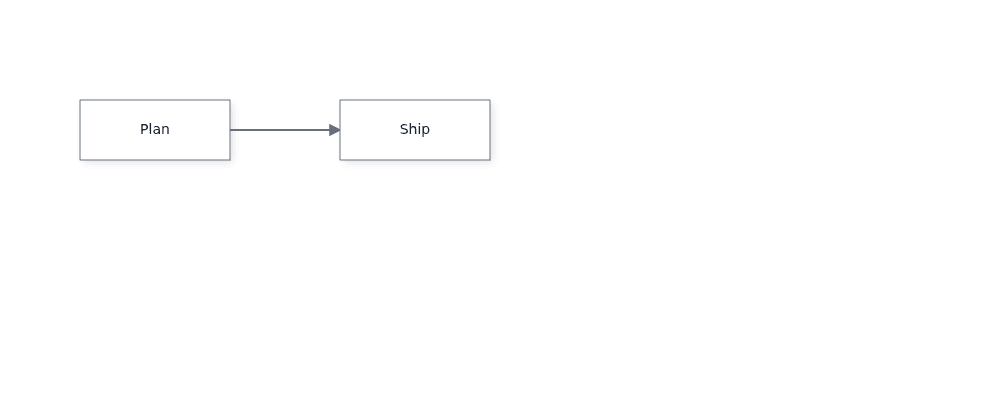
The data uses the shared [`NodeSpec`](https://bench-grafloria-61d.atloria.app/p/bench-grafloria-61d-mQCmWpDrxv/developer/grafloria-renderer-instance-nodespec) and [`EdgeSpec`](https://bench-grafloria-61d.atloria.app/p/bench-grafloria-61d-mQCmWpDrxv/developer/grafloria-renderer-instance-edgespec) vocabulary. For controlled mode, bind both refs with `v-model:nodes` and `v-model:edges`, as in the next step. Inbound array replacements and in-place reactive edits reach the canvas; the binding skips its own emitted array when `v-model` writes it back.
Outbound updates are not a frame-by-frame mutation feed. Adds, removals and node drops produce spec updates; a selection click uses `selectionChange` instead. Read selection through that event or the composables, not through a saved `selected` field in the emitted specs.
## 2. Mount a controlled canvas and a sibling inspector
Wrap the canvas and its sibling in [`GrafloriaProvider`](https://bench-grafloria-61d.atloria.app/p/bench-grafloria-61d-mQCmWpDrxv/developer/grafloria-vue#grafloriaprovider). The flow publishes its live [`DiagramInstance`](https://bench-grafloria-61d.atloria.app/p/bench-grafloria-61d-mQCmWpDrxv/developer/grafloria-renderer-instance-diagraminstance#diagraminstance) to that provider at mount.
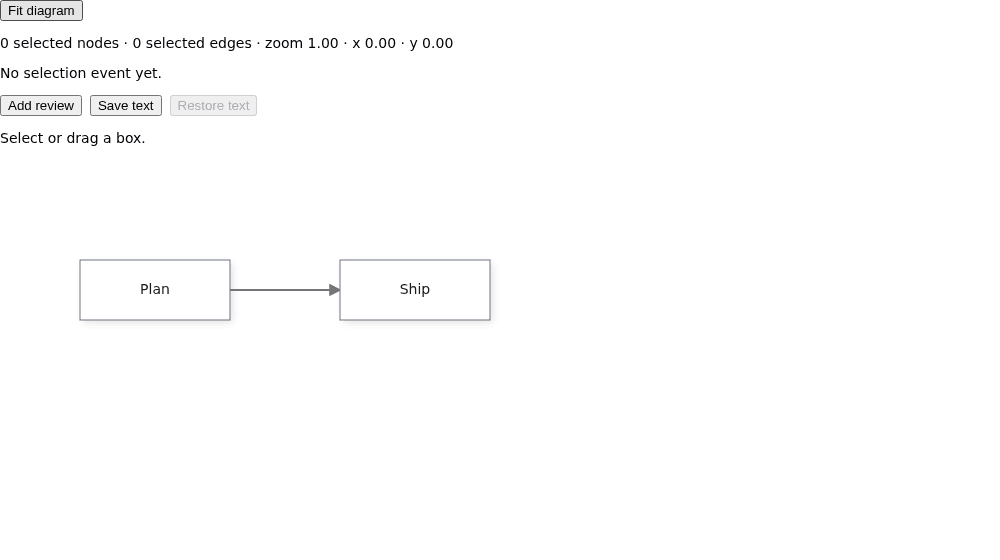
The example renders Plan → Ship and an inspector above it. **Add review** appends a third node through the controlled ref. **Save text** captures the current diagram; after dragging a box, **Restore text** reloads the saved document content.
```vue title="App.vue"
{{ message }}
```
For the shared instance, selection and camera roles, see [React: state and subscriptions](https://bench-grafloria-61d.atloria.app/p/bench-grafloria-61d-mQCmWpDrxv/developer/react-state-and-subscriptions#2-share-the-instance-with-siblings-and-subscribe); in Vue, [`useGrafloria`](https://bench-grafloria-61d.atloria.app/p/bench-grafloria-61d-mQCmWpDrxv/developer/grafloria-vue#usegrafloria), [`useSelection`](https://bench-grafloria-61d.atloria.app/p/bench-grafloria-61d-mQCmWpDrxv/developer/grafloria-vue#useselection) and [`useViewport`](https://bench-grafloria-61d.atloria.app/p/bench-grafloria-61d-mQCmWpDrxv/developer/grafloria-vue#useviewport) return refs accessed through `.value` in render functions, and event subscriptions—including the callback registered with [`useOnSelectionChange`](https://bench-grafloria-61d.atloria.app/p/bench-grafloria-61d-mQCmWpDrxv/developer/grafloria-vue#useonselectionchange)—tear down when the component's scope disposes.
`App.vue` defines and mounts `InspectorPanel` inside the provider alongside the canvas, so its composables subscribe to the diagram shown below it.
Click a box to update the counts and callback readout. The selection composable also reads the existing selection when it attaches, so an inspector mounted later starts with the current selection. **Fit diagram** frames the diagram and updates the camera readout.
Keep one flow per provider when siblings need an unambiguous instance. Without a provider above the sibling, its instance ref stays `null`. Children inside the flow's default slot can use the composables without an extra provider.
## 3. Choose the template ref or the instance
At runtime, the `flow` template ref in `App.vue` exposes these shortcuts. `@init` gives you the same underlying instance for renderer methods and engine access.
| Template-ref method | Result |
|---|---|
| `getInstance()` | The live instance, or `null` before mount. |
| `applyLayout(request)` | A promise that completes after running the named layout; emits `layoutDone`. |
| `snapshot()` | The live model's serialized document, or `null` before mount. |
| `exportSvg(options)` | A synchronous SVG export result, including warnings—not a bare string. |
| `exportPdf(options)` | A synchronous PDF export result—not a promise of a data URL. |
| `exportDiagram(format, options)` | The instance's asynchronous image/SVG export. |
| `exportText(options)` / `loadText(text, options)` | Text export and import on the live instance. |
| `fitView(padding)` | Frames the diagram content. |
> **Known issue:** The runtime template-ref methods are registered with `expose()` but are absent from the component's inferred public instance type. Until a typed ref surface is exported, capture the typed instance with `@init`, as in `App.vue`.
The intended template-ref call is `flow.value?.getInstance()`. The strict-TypeScript alternative in the sample is `onInit(api: DiagramInstance)`, storing `api` in a `shallowRef`. Use `instance.value?.fitView(40)` instead of `flow.value?.fitView(40)`, and `instance.value?.getModel().serialize()` instead of `flow.value?.snapshot()`. Do not redeclare the component's API to make a ref compile.
For command history, use the engine behind `getEngine()`; see [Commands and history](https://bench-grafloria-61d.atloria.app/p/bench-grafloria-61d-mQCmWpDrxv/developer/commands-and-history). For layout requests and their options, see [Lay out a diagram](https://bench-grafloria-61d.atloria.app/p/bench-grafloria-61d-mQCmWpDrxv/developer/lay-out-a-diagram).
## 4. Separate projections from persistence
Controlled refs are application-facing projections, not the shared document. The node projection carries identity, type, position, size, data, label, sublabel, near-label placement, shape and the custom flag. It does not carry declared ports, arbitrary metadata, node styles or selection. The edge projection likewise does not carry every serialized link field. See [Save and restore documents](https://bench-grafloria-61d.atloria.app/p/bench-grafloria-61d-mQCmWpDrxv/developer/save-and-restore-documents) for document snapshots and structured restoration.
The sample uses the instance's `exportText()` / `loadText()` pair rather than serializing `nodes.value`. By default, exported text includes a document sidecar. Loading it passes live nodes and links into the reconciler and restores groups and ink, without replacing the mounted diagram model or disconnecting its subscribers.
This is a document-content round trip, not a viewing-session restore: the text sidecar strips selected, hovered and focused state, and strips derived link polylines while retaining manual bends. `loadText()` does not apply the saved viewport to the active camera. The sample leaves the camera alone; use **Fit diagram** to frame the restored content.
> **Known issue:** `loadText(savedText)` does not restore the saved diagram name, arbitrary diagram-level metadata or anchored comments, even though the sidecar saves them. Until the loader restores those fields, use the full-document restoration path in [Save and restore documents](https://bench-grafloria-61d.atloria.app/p/bench-grafloria-61d-mQCmWpDrxv/developer/save-and-restore-documents) when you need lossless persistence; use this sample only for its node, link, group and ink round trip.
The loader copies only its explicit grammar-metadata keys, such as `diagramType`, `direction` and kit specs. It leaves other diagram-level fields on the existing model unchanged. A full snapshot from `instance.value?.getModel().serialize()` includes the name, metadata and comments; restoring that document through the full-document path avoids this text-loader boundary.
For externally edited specs with reused ids, follow the replacement procedure in [Vue quick start](https://bench-grafloria-61d.atloria.app/p/bench-grafloria-61d-mQCmWpDrxv/developer/vue-quick-start), rather than treating a spec assignment as a full-document restore.
## Options that matter
| Option | Type | Default | What it does |
|---|---|---|---|
| `nodes` | `NodeSpec[]` | `undefined` | Controls nodes; enables `update:nodes` for the return path. |
| `edges` | `EdgeSpec[]` | `undefined` | Controls edges; enables `update:edges` for the return path. |
| `defaultNodes` | `NodeSpec[]` | `undefined` | Seeds nodes once when no controlled nodes are supplied. |
| `defaultEdges` | `EdgeSpec[]` | `undefined` | Seeds edges once when no controlled edges are supplied. |
Do not listen for `update:nodes` on an uncontrolled canvas expecting a spec feed: the binding emits it only when `nodes` is bound. Use `@selection-change` for a parent-owned selection handler, or the provider composables for a sibling inspector.
## Live demos and related guides
- [Mermaid viewer](https://grafloria.com/demos/misc/mermaid-viewer.html) shows text-driven diagram updates; [Vue source](https://github.com/grafloria/grafloria/blob/cccb505e76c7af26c8bafecaba8146db7d8df928/apps/demos-vue/src/demos/mermaid-viewer.vue).
- [Save & restore](https://grafloria.com/demos/interaction/save-and-restore.html) demonstrates snapshot and operation-history persistence.
- [State and event flow](https://bench-grafloria-61d.atloria.app/p/bench-grafloria-61d-mQCmWpDrxv/developer/state-and-event-flow) explains controlled inputs and the return path across bindings.
- [Vue: slots and widgets](https://bench-grafloria-61d.atloria.app/p/bench-grafloria-61d-mQCmWpDrxv/developer/vue-slots-and-widgets) covers custom content inside a flow.